
In our interconnected world, secure passwords are your most important shield.
From personal email accounts to social media profiles and customer data at online retailers to payment providers: the requirements for secure passwords have changed dramatically. What was considered secure yesterday is easy to crack today. We explain in this article,
- how to protect yourself against the most common threats,
- how to create strong, unique passwords,
- how you can easily remember secure passwords,
- how to store strong passwords securely and
- why you should change your passwords regularly.
Table of Contents
Use strong passwords to prevent your digital identity from being hacked and misused.
1. The Evolution of Passwords
Do you remember the early days of the internet? For a while, it was common practice to use passwords such as “password123” or simple sequences of digits. They were easy to remember and the threat from hackers was not yet as great as it is today.
Over time, it became easier and easier to crack simple passwords quickly and automatically. The rapid development of computing power has made brute force attacks, in which countless character combinations are tried in a matter of seconds, more and more practicable and simple passwords became an enormous security risk.
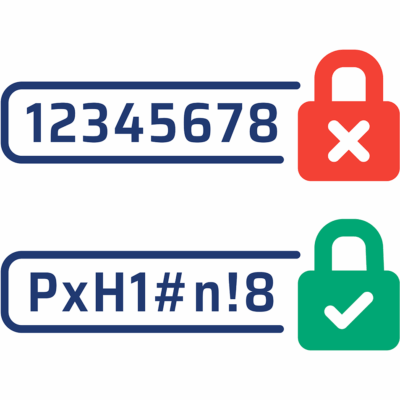
Today, the recommendation is clear: A secure password is
- 12 to 16 characters long and
- consists of a mixture of upper and lower case letters, numbers and special characters.
Unfortunately, the era of simple passwords is not yet over, as this article from the University of Bonn shows. 123456 is still the most popular password in Germany.
2. How to remember Secure Passwords
The challenge is not to create strong passwords, but to remember strong passwords.
A tried and tested method is the password phrase. Instead of memorizing a random combination of characters, you create a phrase that has a personal meaning.
Example:
You use the initial letters and add numbers and special characters as you see fit. This password is long, complex and unique – but easy for you to decode.
Sentence: My first cat was called Felix and I got it when I was 5 years old
Password phrase: M1cwcF&IgiwIw5yo
Another method: Use a series of unrelated words, separate them with special characters and include numbers.
Example: Take your favorite ice cream, your favorite city, your favorite food and your favorite color and you get e.g.: Lemon, Hamburg, Pizza, Yellow
Password phrase: L3mon*Hamburg-P1zza#Y3llow
Tip:
Let this Wikipedia entry inspire you on how to express letters in numbers and special characters.
3. Why you don't just need one Password
Using the same password for multiple accounts is one of the biggest security vulnerabilities.
Cyber criminals create and sell lists of known passwords, which they use as a kind of dictionary for future attacks. Once your super-secure password is on such a list, it is no longer worth anything and is a considerable risk.
This can happen faster than you think. Not every website meets the same security standard.
If an attacker manages to capture your password from a poorly protected website – i.e. if your password has been leaked – it won’t be long before it is tried out on other portals and websites in combination with your email address. This is also known as credential stuffing. If the same password is valid there, the attackers have access to your sensitive data.
Hence the golden rule: A unique, strong password for every service. Your email address is the central hub of your digital identity. A hacked email account is the key to many other services, as attackers can use it to reset passwords. Therefore, protect it with a particularly strong and unique password.
The second important rule: Renew your passwords regularly. Passwords that are part of a data leak circulate forever on the darknet and are used again and again for automated attacks.
4. Keep Secure Passwords safe
If you use dozens of unique passwords, at some point the question arises: How are you supposed to remember them all? This is where password managers come into play.
A password manager is an encrypted application in which you can securely store all your passwords. From now on, you only need to remember a single, very strong master password. The password manager also helps you to generate secure passwords.
Recommendations
- Choose a reputable provider such as Bitwarden, 1Password or LastPass.
- Activate Two-Factor Authentication (2FA) for the password manager.
- Important: Never save your passwords in unencrypted text files, in browsers or on post-its on your monitor.
Conclusion: Secure passwords are as important as a secure door to your house
This may sound drastic, but apart from social media and streaming accounts, passwords now protect our bank accounts, access to public authorities and our most intimate data, photos, videos and more.
- Secure passwords are the cornerstone of your digital identity.
- Use strong passwords with special characters, numbers and upper and lower case letters and make sure that they are at least 12 characters long.
- You also need a separate password for each service, which you change regularly. Tip: Save a recurring appointment to change your passwords regularly.
The time you invest in secure passwords, you invest in the protection and integrity of your most personal data and information!
You may also be interested in the following article:
6 Points you should consider when buying Web Hosting0 (0)
Choosing the right web hosting is not that easy. Long lists of features and lots of technical terms make the choice a challenge. Let us help you!


