
Passwords are often neglected and carelessly shared in plain text with friends, relatives or service providers via email or messenger services. With fatal consequences!
Transmitting passwords in plain text – i.e. unencrypted – is not a trifle, but grossly negligent behavior. Passwords protect our most intimate and personal data and information and deserve to be treated with respect.
In this series, we will show you how to
- create a secure password,
- keep a secure password safe and
- how to share this password securely.
Table of contents
Have you ever had to share a password? Have you sent it unencrypted by email or messenger? Then this article is for you!
Introduction
No matter whether you grant the web designer access to your hosting package or send your mother the login credentials to her e-mail accoun: Use the helloly Password Pusher to securely share passwords and login details!
Even if the temptation is great to simply send passwords and access data by e-mail or chat message: Resist it!
The detour via the helloly Password Pusher only takes a minute:
You enter the password to be transmitted, and helloly Password Pusher creates a secret link that self-destructs after opening.
This means that the transmitted password can no longer be accessed once it has been viewed.
Share Passwords and Login Details securely
This allows you to transmit passwords and login credentials securely and reliably:
- Start the helloly Password Pusher via https://pwpush.helloly.hosting
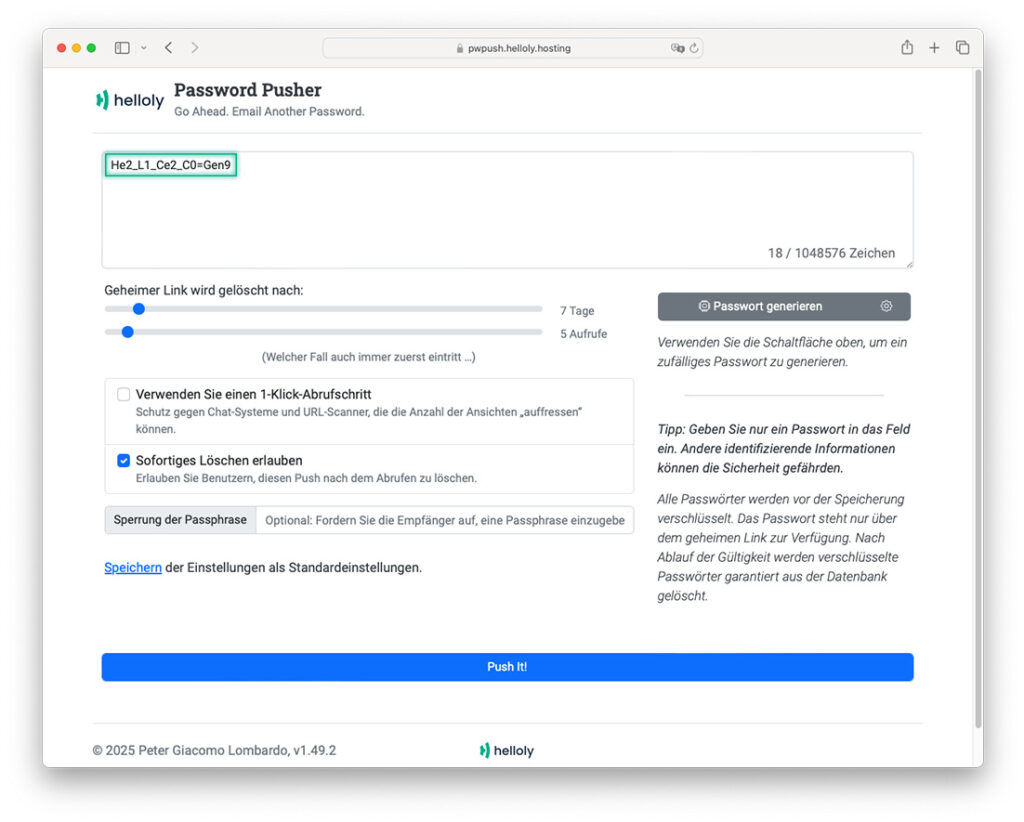
- Enter the password to be transmitted and click on Push It!
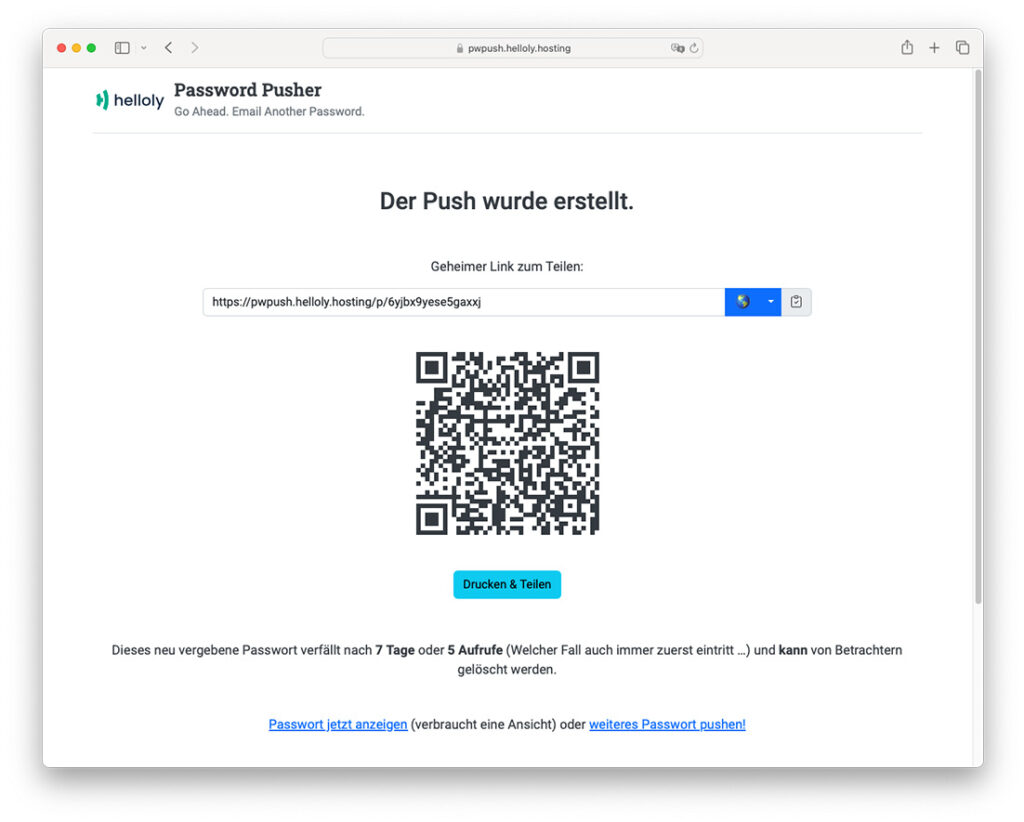
- A page will now open with the secret link to your password. You can now send this link securely by email or messenger. The password is not transmitted in plain text and therefore cannot be read automatically from chat histories or from a hacked email server. In addition, the link is only valid for a limited time.
- If the recipient clicks on the link, they will be taken to a website where they can view the password.
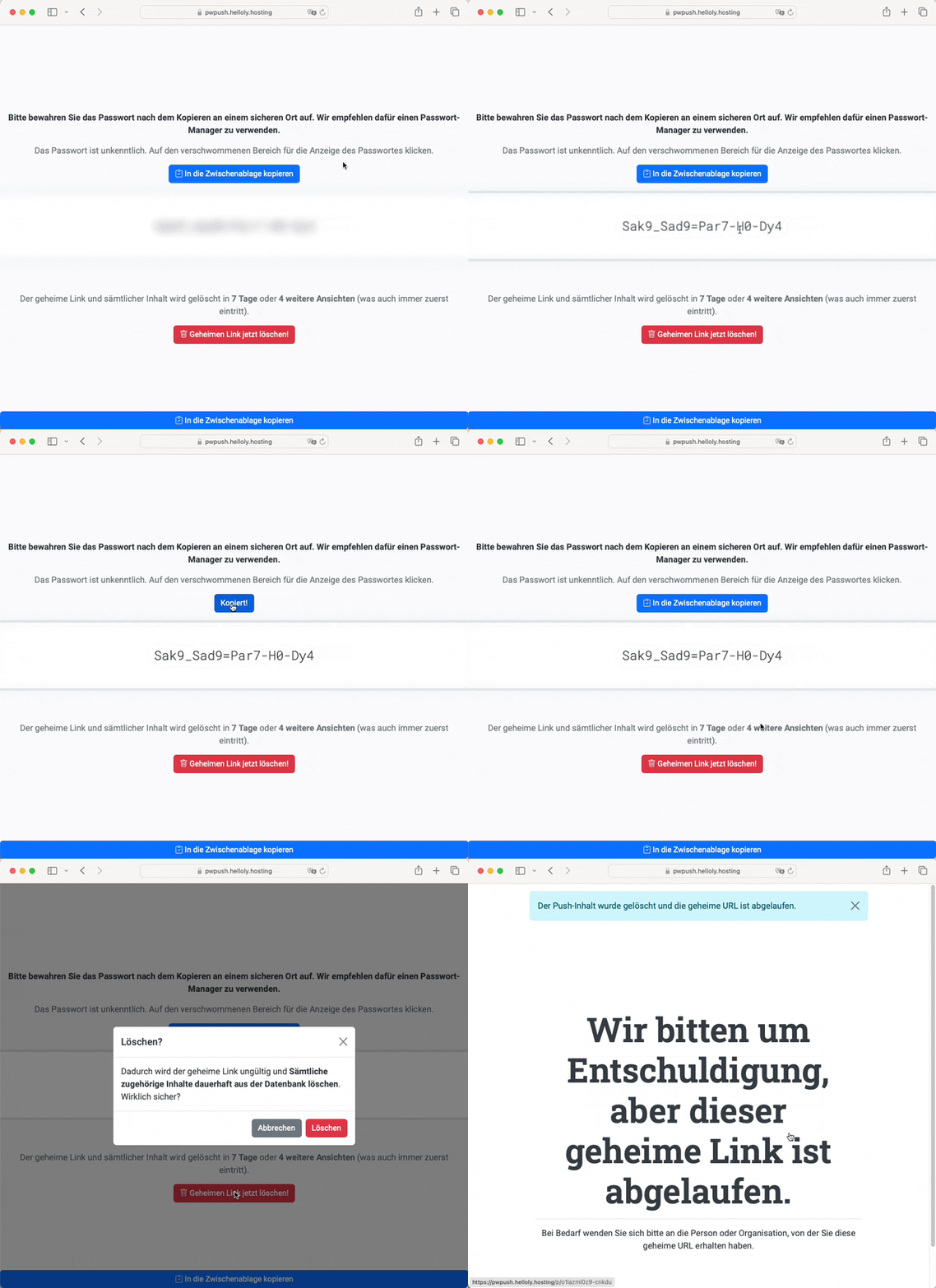
- Congratulations, from now on you can transfer passwords conveniently AND securely – in less than a minute!
Other Functions for securely sharing Passwords and Login Details
With the helloly Password Pusher you can also create secure passwords, additionally protect access to the password with a passphrase and make other adjustments.
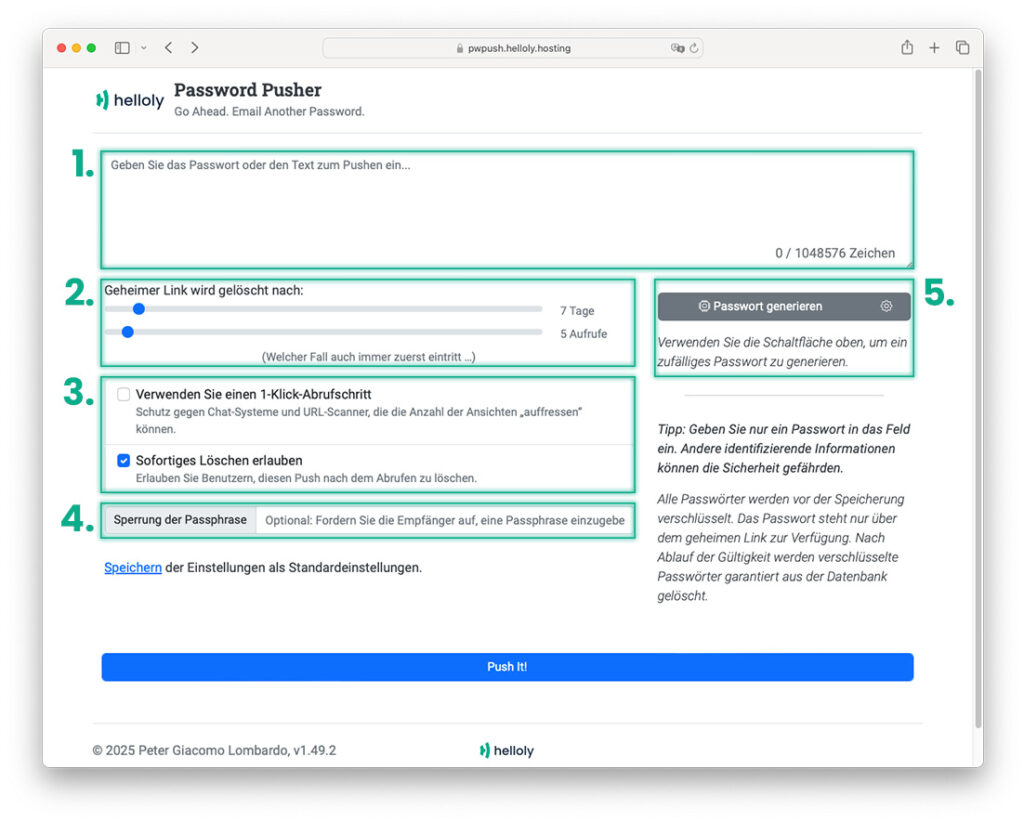
- Enter the password, login credentials or confidential information you wish to transmit here
- Secret link is deleted after: – You can set here when the secret link to your password is deleted. Enter a certain duration in days or a certain number of calls. The password will be deleted whichever comes first.
- Use a 1-click retrieval step – links that you create with the helloly Password Pusher can be sent via chat, SMS or e-mail without hesitation. However, as these services nowadays often offer a preview of the link, the helloly Password Pusher can interpret this preview as a call. This means that repeated display of the link preview can use up all permitted calls. To prevent this, activate this function to activate a website in advance.
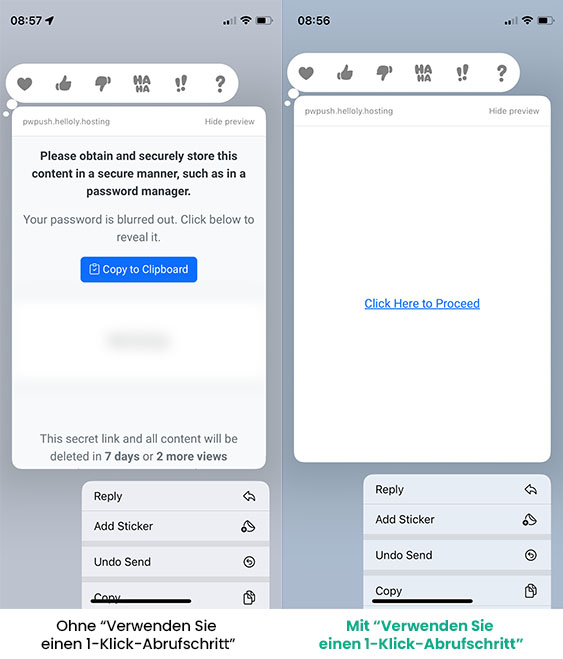
- Allow immediate deletion – With this function you allow the recipient to delete the helloly Password Pusher link immediately after viewing the password.
- Locking the passphrase – Similar to old spy movies à la James Bond (“Have you got a match?”), you can enter a passphrase here that the recipient of the link must know and enter in order to access the password.
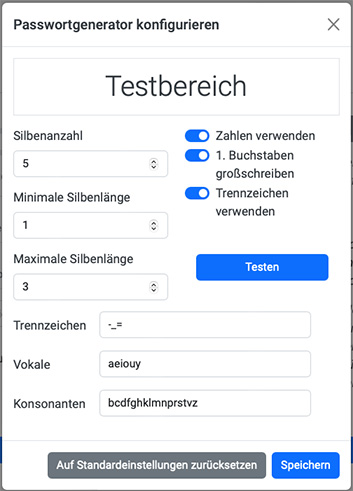
- Generate password – Last but not least, you can also generate secure passwords with helloly Password Pusher. If you click on Generate password, a password is inserted in the first text field. If you click on the cogwheel symbol, you can set further parameters for the password.
You may also be interested in the following article:
6 Reasons for our Website Builder0 (0)
Can you build houses with Lego? Then you’ll love our website builder! We’ll show you how easy it is to create your own do-it-yourself website.


